Stage Graph
The Stage Graph is a player-facing, interactive node graph of a modpack's progression. It shows stages as nodes connected by dependency edges, so players can see what they've unlocked, what's next, and how everything connects — without spoiling content they haven't reached yet.
There is one graph screen with two ways in. From the pause menu it is the player view, filtered by the rules below. From the Stage Overview in the editor it is the admin view, which ignores those rules and shows every stage — that is where layout and per-stage styling are done. /history graph opens the player view, so an operator can check what a player would actually see.
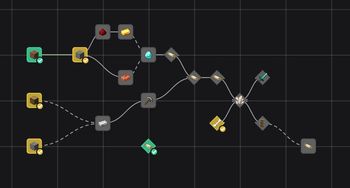
Enabling It
The Stage Graph is off by default. A modpack creator enables it by setting enabled = true under [general] in graph.toml, either by hand or through the Graph tab of the in-game Config Editor. Once enabled, a "Stage Graph" button appears on the vanilla pause menu for every player, next to the (still OP-only) editor button.
The screen title defaults to a translation key (graph.historystages.title) but can be set to custom rich text — including &-style color codes — via the same rich-text dialog used elsewhere in the editor.
Visibility Modes
[visibility].mode controls which stages a player sees, from least to most restrictive:
| Mode | Behaviour |
|---|---|
ALL | Every stage is shown, regardless of progress. |
PROGRESSIVE (default) | Unlocked stages, their direct dependency neighbours in both directions, and anything currently researchable anywhere — including free-standing roots of untouched branches. |
PROGRESSIVE_STRICT | Same neighbour ring around unlocked stages, but drops researchable stages that aren't connected to anything the player has already unlocked (no "floating" roots). A researchable stage that is a neighbour of something unlocked still shows. |
UNLOCKED_ONLY | Only stages the player has already unlocked. |
A stage hidden by the current mode also hides its edges — there is no placeholder or "???" node. A stage taken off the map in the editor is never shown to players, and a stage with a Hidden while ... block shows as "???" or disappears while its condition holds. This is a display filter only: it improves readability and avoids spoilers, but it is not a security boundary, since stage data is already present on the client.
Two related toggles: respectHiddenDisplay (default true) applies each stage's Hidden Display settings inside the graph too, and showIndividualStages (default true) controls whether individual stages appear alongside global ones.
Layout and Appearance
[canvas] controls the graph surface itself: background style (GRID, SOLID, or TEXTURE with a configurable texture), the base colour under it (backgroundColor, default #17171A — it shows through the grid, stands alone for SOLID, and takes over wherever a texture cannot be loaded), grid size, initial/min/max zoom, whether the view auto-fits on open, and whether node/edge animations are enabled.
[edges] controls how dependency lines are drawn: separate colors and line styles (SOLID/DASHED) for met vs. open dependencies, line width, routing (STRAIGHT, ORTHOGONAL, or CURVED), arrowheads, and the style used for "OR" dependency groups (dashed by default — this is the sole visual signal that a group is an OR rather than an AND).
[panel] controls which sections appear in a stage's detail window: stage dependencies, items, XP, advancements, kills, stats, scoreboard, triggers, unlocks, and description — each independently toggleable. showBlockedReason (default true) adds why a blocked stage is blocked. Sections without a switch of their own — item tags, and anything an addon contributes — are always shown; the seven requirement switches map onto config values that only exist for those seven.
Node Styling
[style.global.<state>] and [style.individual.<state>] (eight blocks total, one per stage type × state — unlocked, reachable, locked, blocked) control the default look of every node: shape (RECT, ROUNDED, CIRCLE, DIAMOND, HEXAGON), size, border color/width, fill color/opacity, label mode (NONE, ID, DISPLAY_NAME), label color, and whether the status badge is shown. The status badge is the checkmark switch: a tick on unlocked nodes, a red no-entry sign on blocked ones. blocked defaults to a red look with the badge on. Global stages default to rounded rectangles, individual stages to diamonds, so the two are visually distinct at a glance.
Per-Stage Overrides
Beyond the graph-wide defaults, individual stages can have their own style, optionally varying by lock state. This is stored per-modpack in settings/graph_stages.json and is normally edited from the graph screen itself (accessible to OPs) rather than by hand. Each overridden stage can set:
- A description (literal text or a translation key) shown in its detail window.
- A base style applied in every lock state.
- A style preset it points at — see Style presets.
- Per-state style overrides (
unlocked/reachable/locked/blocked) layered on top of the base style. - A background the whole map takes on once the stage is unlocked — see below.
Overridable fields are the same set as the TOML style blocks (shape, size, border, fill, label, checkmark, etc.). Resolution order is: built-in default → graph.toml defaults → the stage's preset → the stage's own base style → the stage's per-state override. This lets a modpack creator make a single milestone stage look distinct (a hexagon, a unique color) without changing the graph's overall theme — the two tabs below show the same fields on both sides of that resolution order: the config-wide default for unlocked global stages, and one stage overriding it.
- ⚙️ graph.toml
- 🗂️ graph_stages.json
[style.global.unlocked]
shape = "ROUNDED"
size = 1.0
border = "#44CC99"
borderWidth = 2
fill = "#2E8B62"
fillOpacity = 0.35
label = "DISPLAY_NAME"
labelColor = "#DDDDDD"
checkmark = true
{
  "global": {
    "iron_age": {
      "styles": {
        "unlocked": {
          "shape": "HEXAGON",
          "border": "#E8B347",
          "fill": "#B8791F",
          "checkmark": true
        }
      }
    }
  }
}
Every field left out of the override — size, borderWidth, fillOpacity, label, labelColor here — falls through to the graph.toml default above rather than to some separate built-in value, which is why a milestone stage only needs to name what actually changes.
Style presets
A preset is a named node look that stages point at. Change the preset once and every stage using it follows. A stage's own style values still sit on top, so "Boss, but with a blue border" stays blue. Presets cover the node look in every state, not the map background.
{
  "presets": {
    "boss": { "name": "Boss", "style": { "shape": "HEXAGON", "size": 1.6 }, "styles": { "locked": { "fill": "#552222" } } }
  },
  "global": { "iron_age": { "preset": "boss", "style": { "border": "#4A7DFF" } } }
}
They live in graph_stages.json next to the stage entries, so they travel with the pack. A
preset's id comes from its name when it is created and never changes, so renaming it touches no
stage. Deleting a preset removes it from every stage; the stages keep their own values.
In the graph editor: Presets in the top bar lists them with a preview, how many stages use each, and edit, rename and delete. Right-click → Assign style preset works on the whole selection. The node style window has a preset row to pick one, edit it, or save the current look as a new one; values that come from the preset are tagged. Copying and pasting a style carries the preset along.
The Background Changes As You Progress
A stage can carry a background block of its own, and the map then takes it on once that stage is unlocked — so the map visibly moves on as a pack is played rather than looking the same on day one and day sixty.
{
  "global": {
    "iron_age": {
      "background": { "mode": "SOLID", "color": "#181899" }
    }
  }
}
All three fields — mode, texture, color — are optional; an empty one falls back to graph.toml. The block is edited from the graph's style window, in its own Background tab.
Four things about it are worth knowing, because each of them otherwise reads as a bug:
- Whose background wins: the most recently unlocked stage that has one, worked out per player, with global and individual stages competing in the same pool. Taking that stage away again hands the map to the next most recent.
- Only players see it. The editor always draws
graph.toml, so an operator laying the graph out sees the theme rather than whatever they happen to have unlocked. - Worlds from before 6.0.0 have no unlock times. Until something is unlocked again, the deepest already-unlocked stage in the tree wins — the closest guess at "latest" without a clock.
- Unlocking something already unlocked does not make it the newest. The recorded time is the first unlock.
Editing the layout
This is the editor view, opened from the Stage Overview.
Placing stages. Stages that are not on the map yet sit in a section at the bottom of the sidebar, with their icons and an "indiv." tag, searchable like the rest of the sidebar. Drag a row onto the map to place it. To take a stage off the map, drag it onto the sidebar or use Remove from graph in its context menu. Players never see a removed stage or its lines.
Several at once. Ctrl+click adds or removes a stage from the selection, Ctrl+drag on empty space draws a selection box, and dragging a selected stage moves the whole selection. Select with all dependents picks a stage and everything that hangs off it. Esc clears the selection first and closes the graph on the second press.
Re-arrange lays a tree out automatically. It leaves an empty column between layers so captions do not run into each other, and moves a stage that needs nothing up to the column before its first dependent.
Undo and redo cover every layout change: moving, placing, taking stages off and re-arranging. The history survives a detour into the stage editor and ends when you disconnect. If someone else changes the same tree in the meantime, the history is dropped rather than overwriting their work.
Keyboard shortcuts
| Key | What it does | Where |
|---|---|---|
| Ctrl+Z / Ctrl+Y (or Ctrl+Shift+Z) | undo / redo | editor |
| Ctrl+A / Ctrl+D | select all / select none | editor |
| Delete | take the selection off the map | editor |
| Ctrl+F | jump to the sidebar search | both |
| Space | fit everything into view | both |
+ / - / 0 | zoom in / out / back to the start zoom | both |
| F1 | show or hide the shortcut overview | both |
| Esc | close the overview, then clear the selection, then close | both |
Letters go by the character printed on the key, so Ctrl+Z is Z on a QWERTZ keyboard too. The ? at the top right opens the same overview, docked so the map stays usable.
Configuring In-Game
graph.toml can be edited entirely in-game via the Graph tab of the Config Editor, alongside the existing Client and Common tabs. Changes save immediately and sync to connected clients, same as the other config tabs.